Updated 18 October 2026
An M-Pesa full statement is a stamped record of every transaction on your line over a period you choose. Banks, SACCOs, landlords, embassies and loan apps often ask for one as proof of income or proof of how money moves through your account. Safaricom lets you request it yourself in a few minutes, and it costs nothing. This guide covers both ways to get it, how to open the file and what to do when it does not arrive.
Who Asks for an M-Pesa Statement
- Banks and SACCOs assessing a loan, especially for self employed people without payslips.
- Landlords and agents checking that a tenant can afford the rent.
- Embassies reviewing visa applications that need proof of funds.
- Employers and courts in some cases, for income verification.
- You, when tracking your spending or preparing your own records for tax.
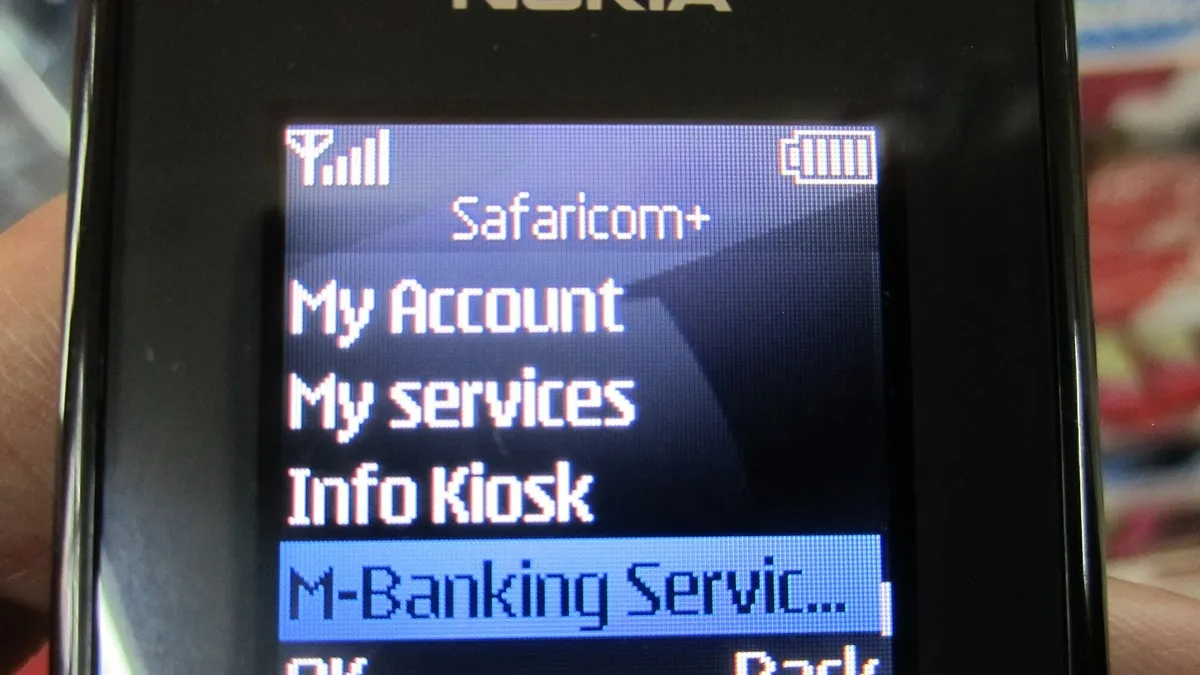
Method 1: Request the Statement on *334#
- Dial *334# on your Safaricom line.
- Select My Account.
- Select M-Pesa Statement, then Request Statement.
- Choose the type of statement you want, for example a full statement.
- Pick the period you need.
- Enter the email address where the statement should be sent, then enter it again to confirm.
- Enter your M-Pesa PIN.
You will receive an SMS with a code. The statement arrives by email as a password protected PDF, and the code in the SMS is what opens it. Keep the SMS until you have opened and saved the file.
Method 2: Download It on the M-Pesa App
- Open the M-Pesa app and log in with your PIN or fingerprint.
- On the home screen, go to M-Pesa Statements and tap See All.
- Pick a month, or tap Export Statements and choose your own start and end dates.
- Tap Generate Statement.
- The PDF downloads to your phone, ready to share.
Cost and Requirements
| Item | Detail |
|---|---|
| Fee | Free |
| Email registration | Not needed in advance. You type the address each time. |
| Format | Stamped PDF |
| Protection | Password sent by SMS for emailed statements |
Tips for Using the Statement
Choose the right period. Lenders usually want the last three, six or twelve months. Ask before requesting so you send the right one the first time.
Send the original file. The stamped PDF is what lenders trust. Screenshots or edited files are often rejected, and altering a statement is fraud.
Clean up your habits before applying for credit. Lenders look at regular income, betting transactions and how often you borrow from other apps. A steady pattern over several months helps. If you use credit, read our guide on checking your CRB status too.
Keep a copy for job applications. Some employers and contract roles ask for proof of past earnings. Browse openings on JobinKenya.
When the Statement Does Not Arrive
- Check your spam or junk folder.
- Make sure you typed the email correctly. A single wrong letter sends it elsewhere.
- Wait a little. Long periods can take longer to generate.
- Use the app method instead, which downloads directly.
- If both fail, call Safaricom on 100 or 200, or visit a Safaricom shop with your ID.
Frequently Asked Questions
How much does an M-Pesa statement cost?
Requesting it through *334# or the app is free.
What is the password for my M-Pesa statement?
The code is sent to you by SMS when you request the statement by email.
Can I get a statement for someone else’s line?
No. Only the registered owner can request it, using their own PIN.
How far back can I go?
You choose the period on the menu. For very old records, Safaricom customer care can advise.
I only need my last few transactions. What should I use?
Use the mini statement on *334# or check the transaction list on the app. Our guide to sending money on M-Pesa also explains how to find transaction codes.
Reading Your Statement
Each line of the statement shows a receipt number, the completion time, a short description of the transaction, its status, money paid in, money withdrawn and the balance after it. Charges appear as separate lines, so you can add them up to see how much you spent on fees in a month. If you are using the statement for budgeting, sort transactions into groups such as rent, food, transport and transfers to family. Many people are surprised by how much goes on small daily payments once they see them added together.
When a lender reviews your statement, they look at the money paid in each month, how regular it is, the balance you usually keep and whether you repay other loans on time. A statement that shows steady income and sensible spending makes approval more likely.
Prefer WhatsApp? Follow Business Radar on WhatsApp
Weekly, free. We only use your email for this newsletter and you can unsubscribe in one click. Privacy policy.