Updated 19 October 2026
Forgetting your M-Pesa PIN, or locking it after too many wrong attempts, used to mean a long call to customer care. Today you can change or reset the PIN yourself on *334#, as long as you set up security questions beforehand. This guide covers how to set those questions, how to change a PIN you remember, how to reset one you have forgotten, the rules that limit resets and how to choose a PIN that is hard to guess.
Step 1: Set Your Security Questions Now
Self service reset only works if you have security questions on your account. Do this today, before you need it.
- Dial *334#.
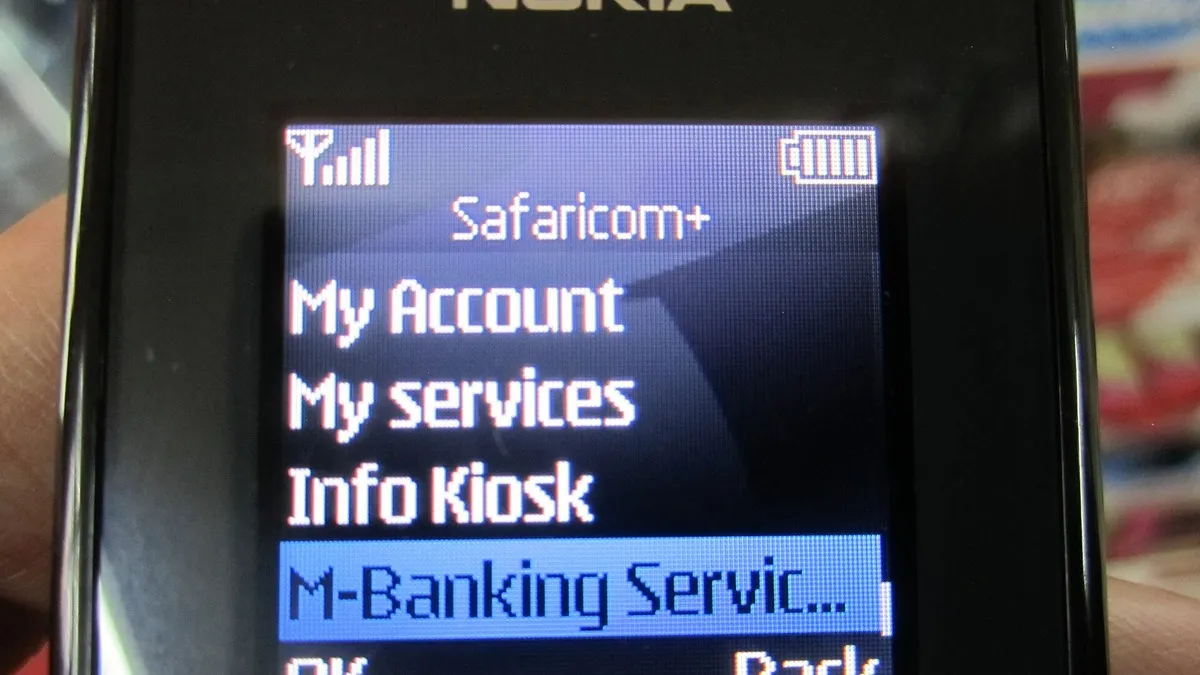
- Select My Account, then M-Pesa PIN Manager.
- Select Set M-Pesa PIN Security Questions.
- Enter your ID or passport number.
- Choose three questions and type your answers. Pick answers you will remember exactly, including spelling.
- Confirm with your current M-Pesa PIN.
Step 2: Change a PIN You Remember
- Dial *334# and go to My Account, then M-Pesa PIN Manager.
- Choose the option to change your PIN.
- Enter your current PIN.
- Enter the new PIN and confirm it.
You can also change your PIN in the M-Pesa app settings. Change it any time you suspect someone has seen you enter it.
Step 3: Reset a Forgotten or Locked PIN
- Dial *334#.
- Select My Account, then M-Pesa PIN Manager, then M-Pesa Forgot PIN.
- Enter your ID or passport number.
- Answer your security questions.
- Enter a new PIN and confirm it.
- You receive an SMS once the reset is complete.
Rules That Limit Self Service Resets
| Rule | What it means |
|---|---|
| Three attempts | After three failed reset attempts you are barred for seven days and must contact customer care. |
| Recent transaction | You cannot reset if you made a transaction in the previous 24 hours. |
| Recent SIM swap | You cannot reset within seven days of a SIM replacement. |
| No security questions | You must call customer care on 100 or 200, who will verify your identity. |
These rules exist to stop fraudsters who swap a SIM and then try to take over the M-Pesa account.
If Self Service Does Not Work
Call Safaricom on 100 or 200, or visit a Safaricom shop with your original ID. Customer care will ask questions to confirm you are the owner, such as recent transactions, before resetting the PIN. Our older guide on resetting a forgotten M-Pesa PIN covers the customer care route in more detail.
How to Choose a Safe PIN
- Avoid simple patterns like 0000, 1111 or 1234.
- Do not use your year of birth, ID digits or part of your phone number.
- Do not reuse your bank card PIN.
- Cover the keypad when entering it in public or at an agent.
- Never write it on the back of your phone or ID.
Protecting Yourself From PIN Scams
Safaricom staff will never ask for your PIN. Fraudsters often call pretending to fix a problem with your line, then ask you to dial codes or read out a PIN. Hang up. Safaricom says it calls customers only from 0722000000. If you suspect fraud, report it to 333 and change your PIN immediately. After a reset, check for unexpected transactions on your statement.
What to Do If Your Phone Is Lost or Stolen
If your phone is stolen, your M-Pesa money is still protected by your PIN, but act quickly. Call Safaricom on 100 or 200 from another phone and ask them to block your line. Then visit a Safaricom shop or authorised dealer with your original ID to get a replacement SIM with the same number. Your M-Pesa balance stays on the account. Remember that you will not be able to use self service PIN reset for seven days after the SIM swap, so if you also need a new PIN, ask customer care to help while you are at the shop. Once you have your line back, change your PIN and check your recent transactions for anything you did not make.
Frequently Asked Questions
How do I reset my M-Pesa PIN without calling customer care?
Use M-Pesa Forgot PIN on *334#, which needs security questions you set earlier.
What happens after three wrong PIN entries?
Your PIN is locked. Reset it on *334# or contact customer care.
Why can I not reset my PIN today?
You may have transacted in the last 24 hours, replaced your SIM in the last seven days, or used up your reset attempts.
Is resetting the PIN free?
Yes.
Does resetting my PIN affect my balance?
No. Your money and history stay the same.
Prefer WhatsApp? Follow Business Radar on WhatsApp
Weekly, free. We only use your email for this newsletter and you can unsubscribe in one click. Privacy policy.