Updated 24 October 2026
Checking your M-Pesa balance is one of the most common things Kenyans do on their phones, and it is completely free. Whether you use a smartphone or a basic handset, you can see your balance in seconds. This guide covers the three official methods, explains the hide balance setting, shows how to see your Fuliza limit and explains why you should always check your balance before reacting to any message about money.
Method 1: The M-Pesa App
- Open the M-Pesa app, or the M-Pesa section of the MySafaricom app.
- Log in with your PIN, fingerprint or face recognition.
- Your balance appears at the top of the home screen.
- If you turned on hide balance, tap the hidden figure and enter your PIN to reveal it.
The app also shows your recent transactions just below the balance, so you can see where money went without requesting a statement.
Method 2: *334#
- Dial *334# on your Safaricom line.
- Select My Account.
- Select Check Balance.
- Enter your M-Pesa PIN.
- An SMS arrives with your M-Pesa balance.
This works on any phone and does not need data bundles.
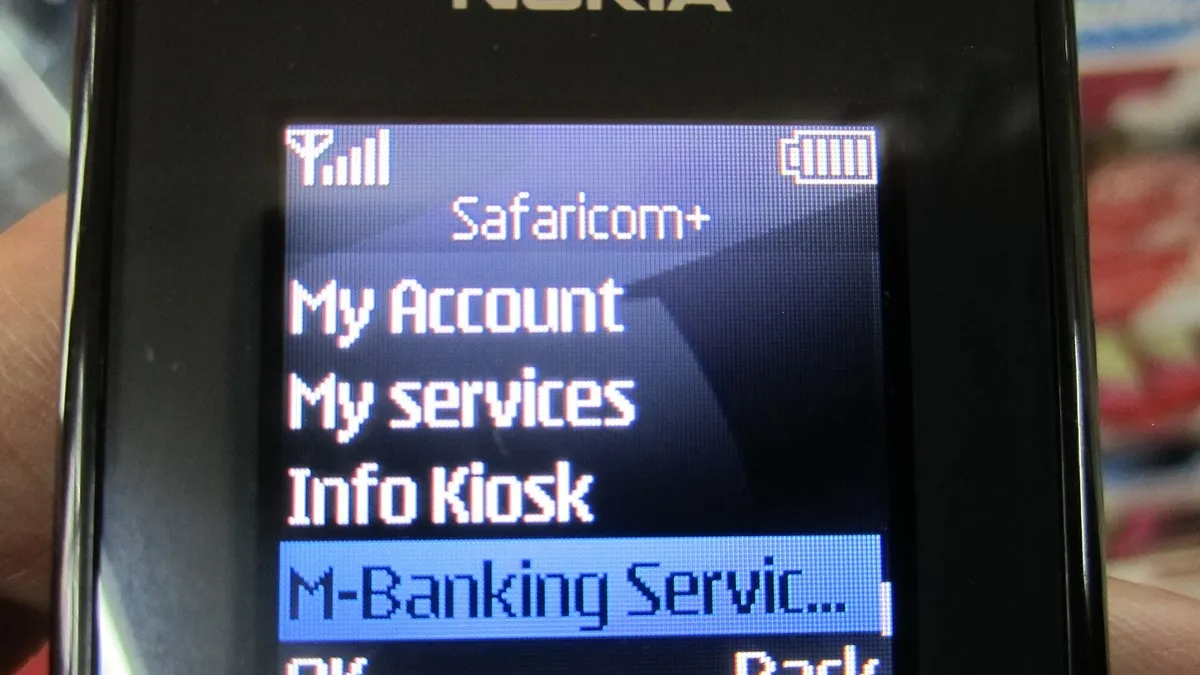
Method 3: The SIM Toolkit
- Open the Safaricom or SIM Toolkit menu.
- Select M-Pesa.
- Select My Account, then Check Balance.
- Enter your PIN and wait for the SMS.
What It Costs
All three methods are free. Safaricom does not charge for services under My Account. Your balance is also shown at the end of every M-Pesa confirmation message, so you often do not need to check separately after a transaction.
Hide Balance
Hide balance is a setting on the M-Pesa app that masks your balance on screen until you tap it. It is useful if you open the app in public, show your phone to an agent or hand it to someone to scan a code. Turn it on in the app settings. It only affects what is displayed on screen and does not change how transactions work.
Checking Your Fuliza Limit
If you use Fuliza, your available limit is separate from your M-Pesa balance. You can see it on the M-Pesa app, or dial *234# and choose the Fuliza option. When you are using Fuliza, your M-Pesa confirmation messages show how much you owe. Read our full Fuliza guide and our tips to check your Fuliza balance.
Always Check Before You Refund Anyone
A widespread scam starts with a fake SMS made to look like an M-Pesa message saying money has been sent to you. Shortly after, someone calls claiming it was a mistake and asks you to send it back. If you send it, you lose your own money, because the original transfer never happened. Before refunding anyone, check your balance through the app or *334#. Only trust what your balance and statement show, never the text of an SMS alone. Genuine mistakes can be reversed by Safaricom, as explained in our guide to M-Pesa reversals.
Why Your Balance Might Look Wrong
- A Fuliza repayment. Money you receive goes first to clear any Fuliza you owe.
- A standing order. M-Pesa Ratiba or other scheduled payments may have run.
- Transaction charges. Each send or withdrawal carries a fee, shown in the confirmation message.
- A loan deduction. Overdue M-Shwari or KCB M-Pesa loans can be recovered from your M-Pesa.
Open your recent transactions on the app to see exactly what happened.
Checking Your Balance on Other Services
Your M-Pesa balance is separate from balances on linked services. Money saved in M-Shwari, KCB M-Pesa or Ziidi does not appear in your M-Pesa balance, and each has its own balance option on the app or on *334#. If you are wondering where money went, check those savings accounts too before assuming it is lost. Pochi la Biashara also keeps its own balance apart from your personal wallet, so traders should check both.
Keeping Your Account Safe
Never share your PIN, even with someone who claims to be from Safaricom. Safaricom says it calls customers only from 0722000000. Change your PIN if you think someone has seen it, and set security questions so you can reset it yourself if needed.
Frequently Asked Questions
Is checking my M-Pesa balance free?
Yes, on the app, *334# and the SIM menu.
Can I check my balance without data?
Yes. Use *334# or the SIM toolkit, which work without internet.
Why does the app ask for my PIN to show the balance?
You have hide balance turned on. Turn it off in settings if you prefer.
How do I see my Fuliza limit?
On the M-Pesa app or through *234#.
Can I check someone else’s balance?
No. Only the account owner can, using their own PIN.
Prefer WhatsApp? Follow Business Radar on WhatsApp
Weekly, free. We only use your email for this newsletter and you can unsubscribe in one click. Privacy policy.