Updated 19 October 2026
Quick answer: To opt out of Fuliza, first clear any Fuliza balance, then dial *234#, choose M-PESA Products, then Fuliza, then Opt Out, and confirm. On the My Safaricom App the route is M-PESA, then Fuliza, then Opt Out. You can also ask at any Safaricom shop. You cannot opt out while you still owe Fuliza money, fees or charges.
These steps come from the Fuliza Key Facts Document published by NCBA, which runs Fuliza with Safaricom, and from Safaricom’s Fuliza terms and conditions (clause 23.2). Safaricom’s own Fuliza FAQ also says the opt-out option sits in the Fuliza M-PESA menu, next to your limit, balance and mini statement.
In this guide
- Before You Opt Out: Clear the Balance
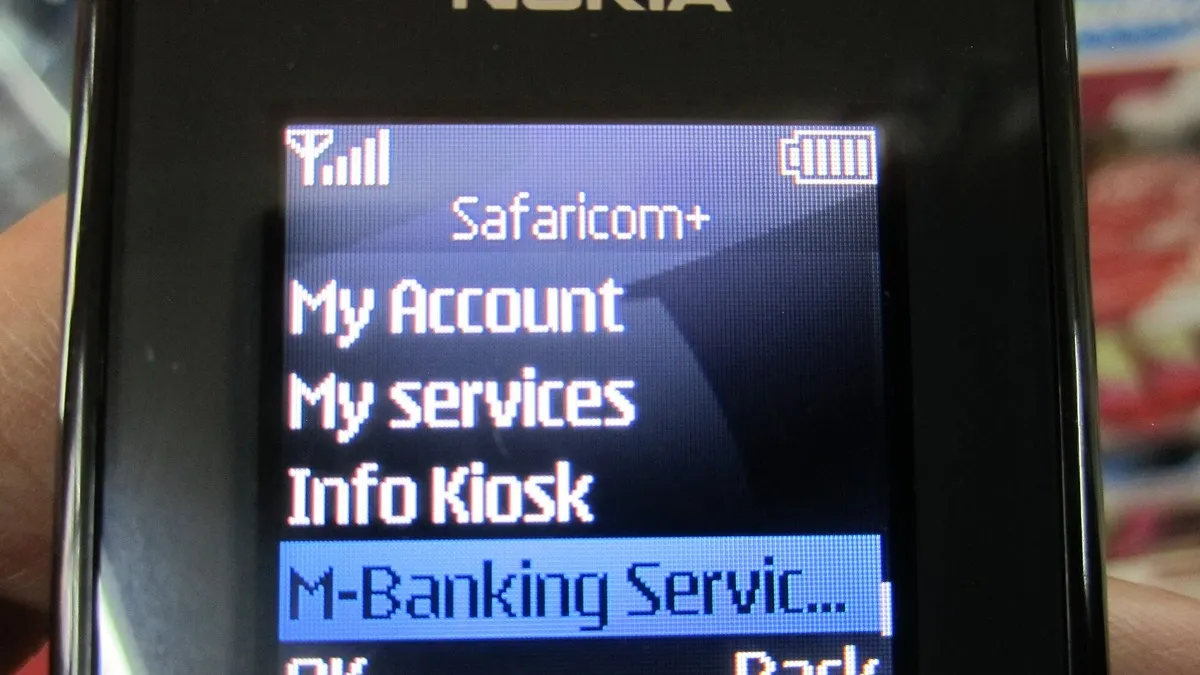
- How to Opt Out of Fuliza on USSD (*234#)
- How to Opt Out on the My Safaricom App
- Opting Out at a Safaricom Shop
- What Happens After You Opt Out
- Why People Switch Fuliza Off: The Cost
- What Happens If You Leave a Balance Unpaid
- Alternatives If You Still Need Short-Term Credit
- How to Opt Back In Later
- Complaints and Help
- Frequently Asked Questions
Before You Opt Out: Clear the Balance
Safaricom’s terms are clear: you may cancel Fuliza “at any time through your Equipment or at your nearest Safaricom Shop”, but not if you have an outstanding facility, amount due, or unpaid interest and fees. So the opt-out will fail until the balance is zero.
- Check what you owe. Open the Fuliza menu on *234# or the app and pick the balance option. Our guide shows how to check your Fuliza balance in more detail.
- Pay it off. The Key Facts Document says any money that lands in your M-Pesa account is used first to settle Fuliza and its fees. Full and partial payments are accepted, so a deposit, a transfer from a friend or a bank-to-M-Pesa transfer will clear it.
- Wait for the confirmation SMS. Safaricom sends an SMS each time you use Fuliza showing what you owe. Once it shows zero, you can opt out.
How to Opt Out of Fuliza on USSD (*234#)
- Dial *234# on your Safaricom line.
- Select M-PESA Products.
- Select Fuliza.
- Select Opt Out.
- Confirm when asked. You should get an SMS saying you have been opted out.
Menu numbers change from time to time, so read the labels on screen rather than pressing a number from memory.
How to Opt Out on the My Safaricom App
- Open the My Safaricom App and log in.
- Tap M-PESA.
- Tap Fuliza.
- Tap Opt Out and confirm.
The app also shows your limit, the amount you owe and the due date, which makes it the easiest place to confirm the balance is zero first.
Opting Out at a Safaricom Shop
If your phone menu gives an error, Safaricom’s terms say you can cancel at your nearest Safaricom shop. Carry your ID, because the shop will need to confirm you own the line. The same rule applies: any unpaid Fuliza amount has to be cleared first.
What Happens After You Opt Out
- No more overdrafts. If you try to send money, pay a till or pay a bill with less than the full amount in M-Pesa, the transaction fails instead of being topped up by Fuliza.
- No new charges. The access fee and daily charges stop because you can no longer draw on Fuliza.
- Your limit may change if you come back. The Key Facts Document says individual limits are set by your M-Pesa behaviour and reviewed every 90 days, so there is no promise you will get the same limit when you opt back in.
- Your credit record stays. Every Fuliza customer is listed with credit reference bureaus: positive listing when nothing is overdue, negative listing when something is. Opting out does not erase past history. See how to check your CRB status.
Why People Switch Fuliza Off: The Cost
Fuliza is convenient, but it is a loan with fees. According to the Key Facts Document (January 2025 edition), Fuliza charges a 1% access fee on every drawdown plus a daily service charge on the amount still unpaid, for up to 30 days:
| Amount outstanding (KSh) | Daily service charge |
|---|---|
| 0 to 100 | Free |
| 101 to 500 | Free for the first 3 days, then KSh 2.50 a day |
| 501 to 1,000 | Free for the first 3 days, then KSh 5 a day |
| 1,001 to 1,500 | KSh 18 a day |
| 1,501 to 2,500 | KSh 20 a day |
| 2,501 to 70,000 | KSh 25 a day |
Source: Fuliza Key Facts Document, NCBA, January 2025. Check the current figures on Safaricom’s tariff before relying on them, and see our full breakdown of Fuliza charges.
Two worked examples using the table above:
- You go KSh 400 into Fuliza and clear it within 3 days. You pay the 1% access fee, KSh 4, and no daily charge.
- You go KSh 1,200 into Fuliza and clear it after 5 days. You pay KSh 12 access fee plus KSh 18 a day for 5 days (KSh 90), a total of KSh 102 before any tax shown on your SMS.
Small, frequent overdrafts add up because each one carries its own access fee. Run your own numbers with our Fuliza charges calculator.
What Happens If You Leave a Balance Unpaid
Opting out is not possible with a balance, and leaving the balance unpaid has its own costs. The Key Facts Document lists these risks:
- The daily fee keeps running on the unpaid amount during the 30-day term.
- Your limit is gradually reduced and eventually cancelled if you do not settle as expected.
- Failure to settle within 120 days leads to negative CRB listing, after a 30-day pre-listing notice.
- Late repayment can affect your chances of getting other credit in Kenya.
Alternatives If You Still Need Short-Term Credit
Some people opt out because they want planned borrowing rather than automatic overdrafts. M-Shwari and KCB M-Pesa lend a fixed amount for a fixed period, which can be easier to budget for. Compare the costs in our Fuliza vs M-Shwari comparison, the M-Shwari charges page and our guide to KCB M-Pesa loans. Whatever you choose, borrow only what you can repay on time.
How to Opt Back In Later
To return, dial *234# and select Fuliza, or open the My Safaricom App and choose Fuliza under M-PESA, then accept the terms. The Key Facts Document says you must be a registered M-Pesa customer to opt in, and you need at least 6 months of active M-Pesa use to get a limit above zero. Our guide on how to increase your Fuliza limit explains what affects the amount you get, and our complete Fuliza guide covers the rest.
Complaints and Help
Safaricom’s Fuliza terms say complaints can be made by calling or texting 100 (prepaid), 200 (postpaid) or 234 (M-Pesa support), through self-service on 456, or at any Safaricom shop. Safaricom commits to acknowledge a complaint in writing within 48 hours and resolve it within 7 working days, with written updates every 7 days if it takes longer.
Frequently Asked Questions
Can I opt out of Fuliza if I have a balance?
No. Safaricom’s terms say you cannot cancel while you have an outstanding Fuliza amount, interest or fees. Clear the balance first, then opt out.
What is the USSD code to deactivate Fuliza?
Dial *234#, then choose M-PESA Products, Fuliza and Opt Out.
Does opting out of Fuliza affect my CRB status?
Opting out itself does not create a negative listing. Fuliza customers are listed with CRBs, positively when nothing is overdue and negatively when an amount is overdue, so your past record stays.
Will I get my old Fuliza limit back if I opt in again?
Not necessarily. Limits are set by your M-Pesa behaviour and reviewed every 90 days.
Can I opt out of Fuliza at a Safaricom shop?
Yes. Safaricom’s terms allow cancellation at your nearest Safaricom shop, as long as you owe nothing.
Prefer WhatsApp? Follow Business Radar on WhatsApp
Weekly, free. We only use your email for this newsletter and you can unsubscribe in one click. Privacy policy.